Why Choose an Optical SFP Module for Your Network?
A fiber link can carry network traffic across a room, a campus, or several kilometers, depending on the equipment and fiber. An Optical Sfp Module converts electrical signals into optical signals and back again, giving compatible switches and routers a practical way to connect over fiber. The small form factor is useful. It also makes upgrades easier when a network needs a different link type or reach.
Choosing the right module takes more than matching a product name. Check the required data rate, transmission distance, fiber type, wavelength, connector, and compatibility with your network device. For example, multimode fiber commonly serves shorter links, while single-mode fiber supports longer connections when paired with suitable optics. The exact limits depend on the module specification and the installed cable. Read both datasheets.
That detail matters.
A reliable selection can help reduce unnecessary replacements and avoid mismatched links, but an SFP cannot fix poor cabling or incorrect configuration. Some product listings use broad compatibility claims, so verify supported models and coding with the equipment vendor before ordering. Where available, digital optical monitoring can report values such as temperature and transmit power; it is useful, not infallible. Real installations can still behave differently than a tidy diagram suggests. This guide explains the benefits, trade-offs, and checks that help you decide whether an Optical Sfp Module suits your network.
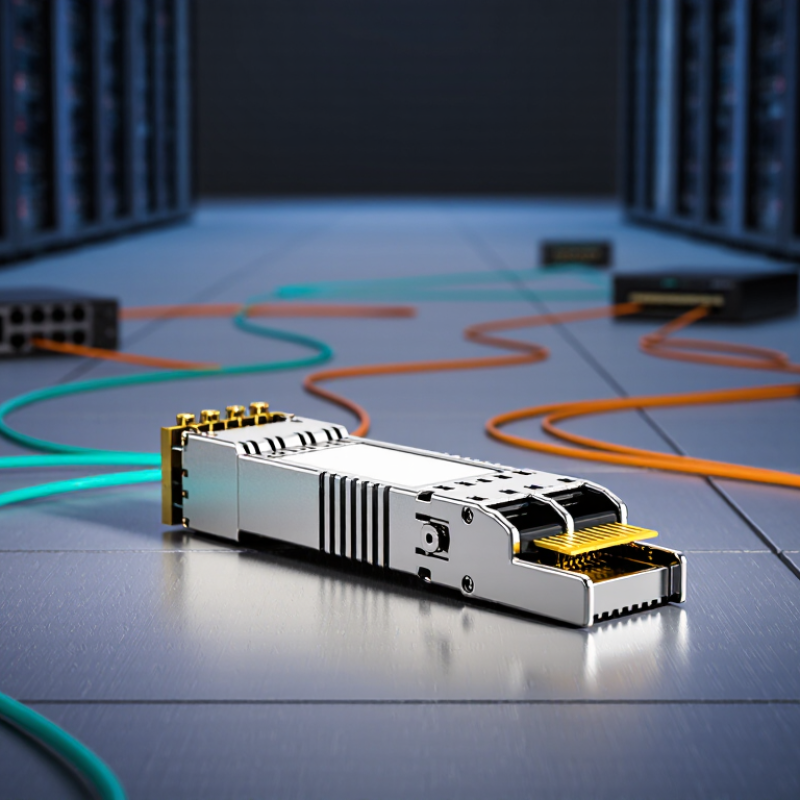
What an Optical SFP Module Is and How It Works
Why Choose an Optical SFP Module for Your Network?
What an Optical SFP Module Is and How It Works
An optical Small Form-factor Pluggable (SFP) module is a compact transceiver installed in a switch or router port. It bridges the device’s electrical interface and a fiber-optic link. Inside, a transmitter drives a laser that encodes outgoing data as light pulses. At the far end, a photodiode converts incoming light back into electrical signals. Simple, but precise. The SFP’s wavelength, data rate, fiber type, and reach must match the link.
The ITU’s Facts and Figures 2023 estimated that 5.4 billion people were using the internet worldwide. Such scale increases pressure on network links.
Optical fiber can carry data over longer distances with lower signal loss than copper. A switch sends traffic through duplex fiber: one strand transmits, the other receives. Not quite plug-and-play. A mismatched wavelength or connector can leave the port dark, even when the module fits physically. Check the equipment’s supported standards and link budget before installation; field labels do not always tell the full story.
How Optical SFP Modules Link Network Devices
An optical SFP module sits in a compatible port on a switch, router, or other network device. The device sends electrical data to the module, which converts it into pulses of light for transmission through fiber. At the far end, another optical module receives those pulses and converts them back into electrical signals. That is the link. Simple, but not magic.
A reliable connection depends on matching details. Both ends should support compatible data rates, wavelengths, and fiber types. Multimode fiber commonly serves shorter runs inside buildings, while single-mode fiber is used for longer distances. The connector must fit securely; LC connectors are common. Tx and Rx paths need to align, especially when two fiber strands are used. A mismatch can leave a port dark.
When bringing up a link, check that the module is seated and the fiber polarity is correct. Also check whether the device reports a received optical signal. Dust on connector end faces can weaken light, even when the cable looks clean. Do not assume a longer-rated module will solve every fault; excessive receive power may also require attention to equipment specifications. In practice, a crossed strand or unsupported rate can explain a silent port. Record the module type and fiber route, then verify the connection at both ends.
Where Optical SFP Modules Are Used
Optical SFP modules are useful wherever network equipment needs a fiber connection: between data-center switches, across campus buildings, or from an access switch to a remote aggregation point. They convert electrical signals into light, letting links cross distances that copper cabling may not handle reliably. Distance matters. A short multimode link inside a server room and a longer single-mode campus run need different optics, fiber types, and budgets.
Traffic growth helps explain why these links matter. Cisco’s Annual Internet Report forecast global internet traffic would reach 396 exabytes per month by 2022, up from 122 exabytes per month in 2017. It was a forecast, not a current measurement, but it illustrates the pressure behind denser data-center interconnects and higher-capacity network paths.
In practice, optical SFPs support links between racks and switches, as well as fiber uplinks connecting buildings or network closets.
Selection needs care. Match the module’s speed, wavelength, connector, and rated reach to the installed fiber; also check the switch’s supported specifications and optical power budget. A mismatch can mean an unstable link—or no link at all. Not every link needs optics. Copper may be simpler for a short connection, and optical modules can add cost and troubleshooting steps. One often-missed detail is documenting both ends of a fiber run; without that record, later fault-finding can become unnecessarily slow.
Key Benefits of Optical SFP Modules
Why Choose an Optical SFP Module for Your Network?
Key Benefits of Optical SFP Modules
Optical SFP modules provide a compact, replaceable interface between network equipment and fiber links. They can help extend connections beyond typical copper runs and reduce susceptibility to electromagnetic interference. Cisco’s 2018–2023 Annual Internet Report forecast global IP traffic would reach 396 exabytes per month by 2022. That was a forecast, not a measured result, but it illustrates the pressure on network capacity. Fiber modules let operators select link types and distances to suit specific connections. Small parts matter.
A major benefit is flexibility: compatible modules can be replaced without changing an entire switch. This can simplify upgrades and repairs, especially in cabinets where space is tight. Optical links also suit connections between buildings or equipment rooms, where distance and electrical noise may challenge copper. However, an SFP is not automatically the best choice. Speed, wavelength, fiber type, connector, link budget, and device compatibility all matter. A mismatch can leave a link unstable—or dark. It is worth checking specifications before ordering, even when two modules look identical.
Tips: Confirm the module’s speed and supported distance against both devices. Match single-mode or multimode fiber, then verify wavelength and connector type. Keep connectors clean; dust on a ferrule can cause real trouble. And if the link budget looks generous, check the actual path and patch panels anyway. That extra check can prevent an avoidable fault.
Why Choose an Optical SFP Module for Your Network?
Key benefit: fiber-optic SFPs can support links from a few hundred meters to several kilometers, depending on the Ethernet standard and fiber type.
Examples shown: 1000BASE-SX reaches up to 550 m on OM2 multimode fiber; 1000BASE-LX up to 5 km on single-mode fiber; 10GBASE-SR up to 300 m on OM3 multimode fiber; and 10GBASE-LR up to 10 km on single-mode fiber. Actual reach depends on the module specification and cabling.
How to Choose an Optical SFP Module for Your Network
Why Choose an Optical SFP Module for Your Network?
How to Choose an Optical SFP Module for Your Network
Choosing an optical SFP module starts with the link, not the price. Check the switch’s supported module types and the required data rate. Then match the fiber: single-mode fiber suits longer links, while multimode fiber is commonly used over shorter distances. Compare the module’s rated reach with your actual cable path, including patch panels and connectors. A small mismatch can cause intermittent errors.
Tips: Confirm the wavelength at both ends. Check connector type, fiber type, and link speed. Keep dust caps on until installation. Clean connectors with suitable tools; a speck of dust can disrupt a connection. Leave some reach margin rather than choosing a module rated exactly for the measured distance.
Also consider operating conditions and diagnostics. Check the module’s temperature range and whether your equipment can read its monitoring data. For a new link, test both ends with the intended switch and fiber before expanding the installation. Specifications can look compatible on paper, yet equipment support varies. I would not assume that matching speed and connector alone guarantees a stable link; that assumption is easy to make, and sometimes wrong. Keep the module details and test results for later troubleshooting.