Top 10 Computer Form Types You Need to Know About?
In the ever-evolving world of technology, understanding different "Computer Form" types is essential. Expert Jane McCarthy, a renowned analyst in the tech industry, states, "Choosing the right Computer Form can drastically influence performance and usability." As we delve into the top ten Computer Form types, we’ll uncover their unique features and practical applications.
Each Computer Form serves a distinct purpose. Desktop computers are perfect for serious tasks, while laptops offer mobility. Tablets and smartphones create a new level of versatility. Yet, not every form suits every user. Many struggle to find the right fit. It's common to overlook how these forms impact daily life and productivity.
Navigating through various Computer Forms can feel overwhelming. Yet, making a well-informed choice is crucial. Users often regret hasty decisions when selecting their devices. Reflecting on personal needs and preferences can guide better choices. Understanding these Computer Forms is not just a technical pursuit; it's about enhancing our daily experiences with technology.
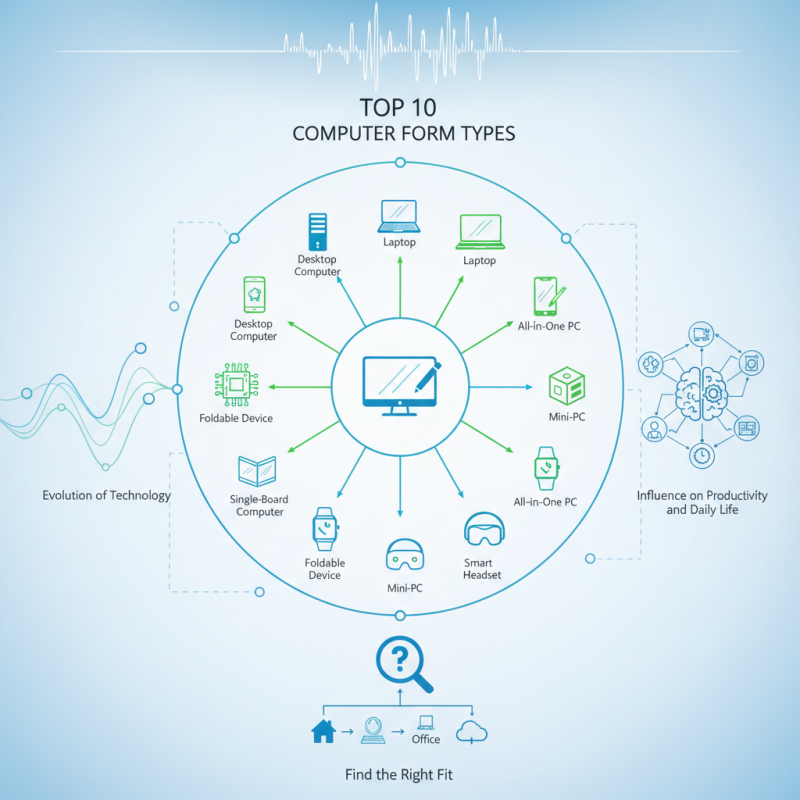
Definition and Importance of Computer Form Factors
Computer form factors are crucial in the tech world. They determine how components fit and work together. This includes the shape and size of cases, motherboards, and power supplies. Each type has its purpose, from desktop to mini-PC setups. Knowing these can avoid compatibility issues during upgrades.
The importance of form factors extends beyond space considerations. They affect airflow and cooling, which are vital for performance. An improperly sized case can lead to overheating. Additionally, the form factor influences future expansion. Choices can be limiting if the design doesn’t allow for additional components.
Sometimes, users may overlook these details. They might focus too much on aesthetics or price. It’s essential to balance form with function. Choosing the right form factor can lead to a more efficient and long-lasting setup. Reflection on these aspects can improve overall user experience and satisfaction.
Overview of ATX and its Variants in Desktop Systems
The ATX form factor is crucial in desktop systems. It was introduced in the mid-1990s and set a standard for motherboard dimensions and layout. Measuring 305mm x 244mm, ATX supports various expansion slots. This allows users to customize their setups easily. Multiple power connectors are present, giving flexibility for different power supplies.
Variants like Micro-ATX and Mini-ITX emerged later. They offer smaller sizes for compact systems. Micro-ATX retains fewer slots but is still versatile. Mini-ITX, on the other hand, is minimalistic. It is suitable for ultra-compact builds but limits expansion. Users often overlook these details, leading to compatibility issues.
Choosing the right form factor can be overwhelming. There are many factors to consider beyond size. Cooling solutions, access to ports, and wiring must be evaluated. Some may find the smaller variants tempting for saving space. However, they may sacrifice performance. Understanding these factors is essential for effective building. Each form type has its strengths and weaknesses, and reflection on personal needs is vital.
Top 10 Computer Form Types You Need to Know About
| Form Factor | Dimensions (mm) | Typical Usage | Variants |
| ATX | 305 x 244 | Standard desktop PCs | MicroATX, MiniATX |
| MicroATX | 244 x 244 | Compact desktop systems | None |
| Mini-ITX | 170 x 170 | Small form factor PCs | Nano-ITX |
| E-ATX | 305 x 330 | High-performance systems | None |
| FlexATX | Flex format | Compact systems | None |
| BTX | Standard Size | Advanced cooling systems | None |
| Pico-ITX | 100 x 72 | Embedded applications | None |
| Nano-ITX | 120 x 120 | Small devices | None |
| Custom Form Factors | Varies | Specialized systems | Varies |
Exploring Micro ATX and Mini ITX for Compact Builds
When building a compact computer, choosing the right form factor is crucial. Micro ATX and Mini ITX are popular options for space-saving designs. Micro ATX typically provides more expansion slots, making it versatile for users wanting a balance between size and functionality. It measures 244mm x 244mm, adequate for various components. Meanwhile, Mini ITX is smaller at 170mm x 170mm, ideal for tighter spaces. It sacrifices expandability for its petite size, appealing to minimalist builders or those looking to maximize desk space.
According to recent industry data, Mini ITX cases can reduce build volume by up to 50%. This efficiency benefits gaming consoles, HTPCs, and simple office setups. However, despite their advantages, both forms can present challenges. Cooling solutions must be carefully considered, especially in Mini ITX builds. Failing to address airflow can lead to overheating.
Tips: Always review your component sizes before finalizing a build. Use low-profile coolers to maintain system temperatures. Double-check compatibility between your motherboard and case. Keep in mind that many users face issues due to improper planning. This can lead to unsatisfactory performance or unnecessary upgrades. In summary, know your needs, and choose wisely.
Top 10 Computer Form Types You Need to Know About
This bar chart illustrates the popularity of various computer form factors among builders, providing insight into their usage in compact builds and overall system design.
Understanding the Role of Custom Form Factors in Gaming PCs
Custom form factors play a crucial role in the design and performance of gaming PCs. As the gaming industry evolves, the need for unique configurations increases. According to industry reports, custom form factors enhance airflow and thermal management. This leads to better performance, especially during demanding gaming sessions.
Choosing the right form factor is essential. Smaller cases may look sleek, but they often struggle with heat. On the other hand, larger cases can accommodate advanced cooling solutions. A recent study highlighted that 75% of gamers prefer systems with superior cooling. This choice can significantly impact system longevity.
Tips to consider:
- Ensure your chosen form factor has adequate space for upgrades. Limited space might restrict future enhancements.
- Understand that not all motherboards fit every case. Research compatibility before purchasing.
- Additionally, pay attention to the airflow design. This can prevent potential overheating issues.
Small details can create significant differences in performance. Passenger of Emerging Form Factors: Mini PCs and All-in-One Designs
Mini PCs and all-in-one designs are changing how we think about computing. These compact systems offer powerful performance without taking up too much space. Imagine a sleek, stylish device that fits on your desk without the clutter of traditional setups. The integration of components allows manufacturers to create machines that are both functional and visually appealing.
However, the smaller form factor can have limitations. Cooling can be a challenge, and heat management is crucial. Users need to consider upgrades carefully. Some mini PCs may not allow for significant expansions or modifications. This can be frustrating for tech enthusiasts who enjoy customizing their systems.
All-in-one designs provide a seamless experience but can also be a double-edged sword. The compactness means that all components are crammed together. Should one component fail, the entire system may require servicing. This design can lead to a sense of vulnerability for some users. Balancing design elegance with functionality remains a challenge in the evolving world of computing.