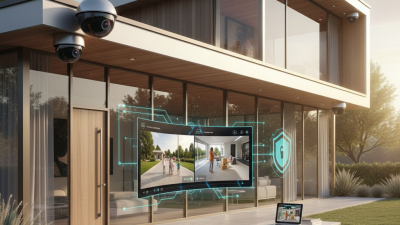

Choosing a House Video Camera System is not simply a race for the highest resolution. A reliable setup should match your property, lighting, network, and daily routine. A front porch camera may need wide coverage and clear faces at noon. A driveway camera may require infrared performance after dark. Small details matter.
This guide will examine camera placement, image quality, night vision, storage, connectivity, power options, and mobile alerts. It will also consider weather ratings and equipment maintenance. Independent testing, manufacturer specifications, and advice from qualified installers can support better decisions. Marketing claims deserve careful checking. A four-camera kit may look affordable, but installation, storage fees, replacement parts, and stronger Wi-Fi can change the real cost.
Privacy should remain part of the design, not an afterthought. Aim cameras toward your own entrances and shared areas, while avoiding unnecessary views into private spaces. Use strong passwords, updated firmware, two-factor authentication, and encrypted services when available. These steps reduce preventable risks, although no connected device is perfect. Nothing is perfect.
Real-world performance can differ from a product box. Reflections from glass, bright porch lights, tree movement, and weak wireless signals may create disappointing footage. A short test at night often reveals more than a daytime demonstration. I also recognize that one recommendation cannot fit every home, especially where budgets or internet access are limited. The best choice balances evidence, practical experience, security, and simple everyday use. A system is valuable only when it records clearly, sends dependable alerts, and remains manageable months after installation.
Choosing a house video camera system starts with a clear security goal, not maximum resolution. Decide what concerns you most: package theft, an unlit side gate, or checking children after school. Walk around your property at dusk. Note blind spots, entry paths, and changing light conditions. This simple inspection often reveals more than a product chart. In my experience, my first layout covered the driveway well but missed the narrow side entrance.
Set monitoring priorities before comparing camera features. Do you need live viewing, recorded evidence, or alerts only? At a front door, clear faces and accurate motion alerts may matter more than wide coverage. For a driveway, night performance and stable notifications deserve closer attention. Choose storage based on your tolerance for monthly costs and internet outages. Local storage can help during connection failures, but it may require regular maintenance.
Do not overlook access security. Use strong, unique passwords, two-step verification, and separate permissions for household members. Test camera placement temporarily before permanent installation. Review footage from eye level, car height, and doorway distance. Rain, glare, moving branches, and headlights can trigger false alerts. Adjust sensitivity gradually. I prefer fewer useful alerts, although that choice may not suit every household. Check privacy settings and local recording requirements before enabling audio or sharing footage.
Choosing a house video camera system starts with the areas you need to see. A fixed bullet camera suits driveways and side paths because it points toward one clear zone. Dome cameras work well indoors and resist accidental bumps. Pan-tilt-zoom models cover wider spaces, but they may miss activity while moving. No camera covers every angle perfectly. Draw a simple floor plan before buying.
Coverage also depends on distance, lighting, and mounting height. A front door camera should show faces, packages, and the walkway. A driveway camera needs enough range to capture vehicles without creating a blurry image. Night vision helps, but nearby lamps can cause glare. I once placed a camera too close to a bright porch light; the nighttime image looked worse than expected.
Installation choices affect reliability. Wired power-over-Ethernet systems usually provide stable connections and continuous recording. Wireless cameras install faster, but thick walls and crowded networks can weaken signals. Local storage may keep recordings available during an internet outage. Cloud storage offers easier remote access, though fees and privacy policies require careful review. Use strong passwords, update devices, and limit access to trusted household members. Check local privacy requirements before recording shared boundaries or neighboring areas. Professional installation can improve cable protection and viewing angles, but a careful homeowner can handle simpler setups. Test every camera from a person’s height before final mounting. Recheck after rain, darkness, and seasonal changes.
Choosing a house video camera system starts with the image quality you need, not the feature list. In my experience, clear daytime footage depends on resolution, lens quality, and sensible placement. A high-resolution camera can still produce useless video when sunlight washes out a doorway. Look for balanced exposure and natural colors. Test a sample at the exact mounting height. Faces should remain recognizable near the gate, not only in the center of the frame. Wider views can create curved edges and smaller details. That trade-off deserves attention.
Night vision requires more than a long-distance claim. Infrared illumination should cover the path without turning nearby faces into bright, pale shapes. Check footage from a dark corner, a porch light, and a reflective driveway. Infrared glare may appear on glass, white walls, or rain. Color night viewing can help with ambient light, but it may become noisy in deep darkness. A short test is valuable. I once favored a camera with impressive specifications, yet its night footage blurred moving people. I trusted numbers too much.
Motion detection should identify meaningful movement while reducing alerts from leaves, insects, and passing headlights. Adjustable zones can exclude sidewalks or busy roads. Sensitivity controls matter, but they require patient tuning. False alerts still happen. Set recording before and after an event, so a visitor’s approach is not missing. Review storage reliability, time stamps, and app response during weak Wi-Fi. These details feel minor until an important clip is needed. Recheck settings after seasonal changes, because shadows and foliage can alter detection behavior.
| System Profile | Video Resolution | Low-Light Performance | Night-Vision Range | HDR / WDR | Motion Detection | Best Use Case |
|---|---|---|---|---|---|---|
| Basic Indoor System | 1080p Full HD | Color video in well-lit rooms; visible detail decreases in dim light | About 6–10 m in darkness | Usually limited or unavailable | General movement alerts; may detect pets or changing light | Apartments, bedrooms, and small indoor areas |
| Standard Home System | 2K, approximately 2304 × 1296 pixels | Improved detail for faces and packages under moderate lighting | About 10–15 m in darkness | Basic WDR helps balance bright windows and darker rooms | Motion zones and adjustable sensitivity are commonly available | Entryways, living rooms, garages, and small yards |
| High-Detail Outdoor System | 4K Ultra HD, approximately 3840 × 2160 pixels | More pixels preserve detail when digitally zooming or covering wide areas | About 15–30 m, depending on infrared LEDs and surroundings | Strong WDR is useful where sunlight and shadows appear together | Custom zones, person filtering, and line-crossing rules may be supported | Driveways, large yards, entrances, and property boundaries |
| Low-Light Color System | 2K or 4K, depending on the model | Larger image sensors or supplemental lighting can retain color at night | Typically 8–25 m; effective distance depends on ambient light | HDR or WDR improves detail in mixed lighting conditions | Person, vehicle, and package classifications can reduce irrelevant alerts | Front doors, pathways, and locations where night-time color matters |
| Long-Range Perimeter System | 4K or higher, with lens selection matched to the viewing distance | Performance depends heavily on sensor size, lens aperture, and lighting | Approximately 25–40 m under suitable conditions | Advanced WDR is recommended for outdoor scenes with strong contrast | Human and vehicle detection, intrusion zones, and scheduled alerts | Large properties, gates, detached buildings, and perimeter monitoring |
Storage affects how useful your camera becomes after an event. Local storage can keep recordings available during internet outages, while cloud storage supports remote access and backups. Check recording duration carefully. A busy entrance may fill a memory card quickly. Motion detection saves space, but it can miss unusual movement or trigger on tree shadows. I would not rely on one setting forever. Review sample footage at night and during rain.
Connectivity should match your home’s layout. A weak wireless signal can create frozen video and delayed alerts. Test the camera from its final mounting position, not beside the router. Wired connections usually offer steadier performance, although installation takes more planning. Privacy also deserves practical attention. Choose cameras with clear activity zones, strong passwords, and encryption. Avoid pointing them toward bedrooms, neighboring windows, or private areas. Check local recording requirements before installation.
Tips: Plan power before drilling. Battery cameras need charging access, while wired models need protected outlets and suitable cables. During a power cut, both the camera and router may stop working. A backup power unit can help, but it adds cost and maintenance. Keep firmware updated, and remove unused user accounts. Small oversights matter. Test alerts monthly, because a system that worked last season may quietly fail today.
How to Choose a House Video Camera System?
Assess Costs, System Compatibility, and Future Expansion Needs
A house camera system costs more than the cameras alone. Include recording hardware, memory, cables, power supplies, installation, and maintenance. A realistic budget should cover three years of storage replacement and occasional repairs. Cheap equipment can become expensive when storage fails or connections remain unstable.
Check compatibility before buying anything. Wired cameras may use network cables and power over Ethernet, while wireless models depend on signal strength and household congestion. Confirm that the recorder supports the camera’s resolution, frame rate, storage format, and communication standards. Test the planned route from the router to each camera. A concrete wall can weaken a wireless signal more than expected.
Plan for future expansion. If you need four cameras today, choose a recorder with extra channels and reserve network capacity. Leave spare cable inside the attic or conduit. It is easier to protect a driveway later than to reopen a finished wall. I would also avoid filling storage completely; clear images consume space quickly. One detail I underestimated in an earlier plan was night lighting. Infrared video may show movement, but it can lose facial detail. Consider low-light performance, motion zones, privacy settings, and local privacy requirements before installation. The best choice is not always the most advanced system. It is the system you can maintain, upgrade, and understand.
Assess costs, system compatibility, and future expansion needs
Estimated costs are based on typical residential wired or hybrid installations, including cameras, recording hardware, storage, basic networking, and professional installation. Larger systems generally offer more expansion capacity, but they require compatible recording channels, sufficient network bandwidth, and additional storage. Actual prices vary by camera resolution, cabling complexity, storage duration, and local labor rates.