
TREND FOR

MINIATURIZATION

How to Choose the Right Business Camera?

Choosing the right Business Camera is less about chasing the newest specifications. It is about matching reliable imaging tools to real workplace needs. A boardroom presentation, retail counter, training studio, and outdoor inspection site demand different solutions. The perfect camera does not exist.

Professional photographer Chase Jarvis said, “The best camera is the one that’s with you.” That practical idea applies strongly to business environments. A camera locked in a cabinet cannot support a sales call or document a product issue. Staff need equipment that feels simple, dependable, and ready within seconds. Examine image quality, autofocus, microphone performance, connectivity, mounting options, and battery life. Small details matter. A loose HDMI connection can interrupt an important presentation.

Lighting should guide the decision too. A bright showroom may need less sensitivity than a dim conference room. Test skin tones near a window, then test them under ceiling lights. Review the footage on a larger screen. Phone previews can hide noise and soft focus. This step is easy to skip, but skipping it can create expensive disappointment.

A strong Business Camera also protects workflow efficiency. Check software compatibility, remote-control features, warranty coverage, and long-term support. Consider who will operate it every day, not only who approves the purchase. Marketing teams may value cinematic detail, while service teams may prefer speed and rugged handling. Those priorities can conflict. That is acceptable. The goal is not a flawless specification sheet, but a dependable camera that solves the right problem repeatedly. Ask difficult questions before buying. A cheaper model may cost more when replacements, training, and missed communication are included.
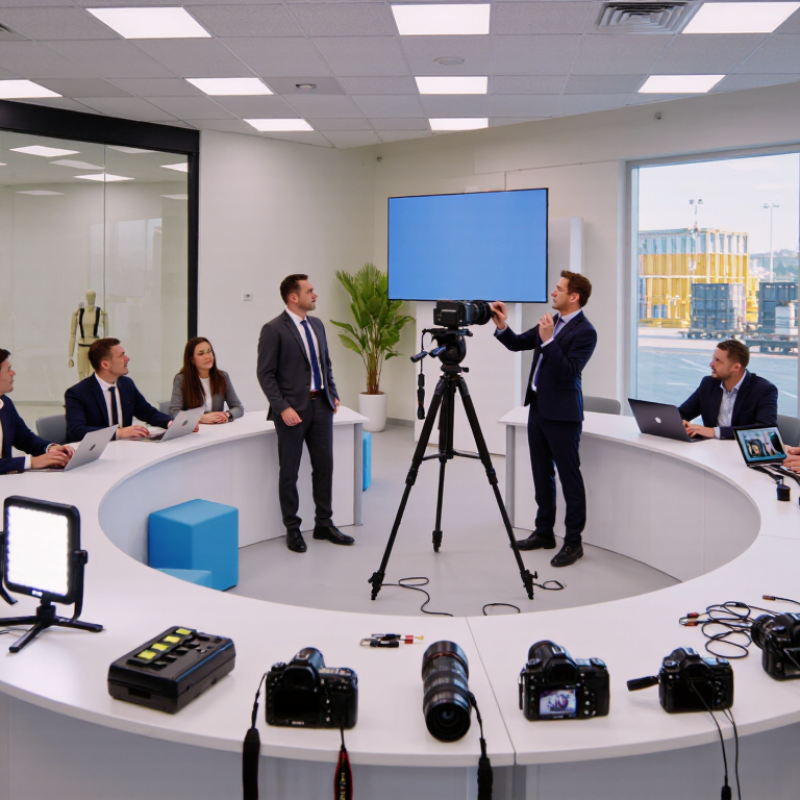
How to Choose the Right Business Camera?

Define the Business Camera’s Primary Purpose and Shooting Environment

Choosing the right business camera starts with its primary purpose, not its feature list. A camera for product photography needs controlled lighting, accurate color, and sharp close-up detail. A camera for training videos needs reliable autofocus, clear audio, and simple operation. Event coverage demands fast focusing, strong battery life, and comfortable handling.

The shooting environment changes the decision. In a small office, a wide lens may capture people without forcing the camera against a wall. In a warehouse, dust protection, low-light performance, and stable image output matter more. CIPA’s 2023 shipment statistics recorded about 7.7 million digital cameras worldwide, showing that dedicated cameras still serve demanding visual work. Wyzowl’s 2024 State of Video Marketing report also found that 91% of businesses use video, increasing pressure for dependable equipment. Yet more expensive is not always better. I have seen teams buy advanced cameras, then leave them unused because setup took too long.

Tips: Write the camera’s weekly job in one sentence. Test it at the actual location. Check skin tones, background noise, shadows, and storage workflow. Record a five-minute sample before purchasing. If staff cannot operate it quickly, the specification sheet has missed the real problem. Room lighting may still expose weaknesses. Reconsider the choice after a trial day.

How to Choose the Right Business Camera? - Define the Business Camera’s Primary Purpose and Shooting Environment

Primary Business Purpose Typical Shooting Environment Recommended Camera Characteristics Useful Technical Specifications Important Selection Considerations
Product Photography Indoor studio, tabletop setup, controlled lighting, and repeatable camera positions
  • High-resolution still images
  • Manual exposure and focus control
  • Interchangeable lenses or close-focus capability
  • RAW image capture
Approximately 20 megapixels or more; a macro-capable lens for small products; tripod compatibility; electronic or mechanical shutter options Prioritize color consistency, focus accuracy, tethered shooting support, and compatibility with softboxes or continuous lights. High resolution is useful for cropping and detailed product views.
Corporate Headshots and Portraits Office, studio, meeting room, or on-location business environment with controlled or mixed light
  • Reliable face and eye detection
  • Natural background separation
  • Good skin-tone rendering
  • Comfortable handling for repeated sessions
Approximately 20 megapixels or more; lens options around 50–135 mm full-frame equivalent; wide aperture availability; external flash or LED-light support Check autofocus performance, portrait-lens availability, flash synchronization, and the ability to maintain consistent exposure across multiple employees.
Office, Conference, and Event Coverage Indoor venues with changing light, moving subjects, limited setup time, and varied distances
  • Fast autofocus and subject tracking
  • Good high-ISO image quality
  • Quiet or silent shooting mode
  • Portable body with dependable battery life
Approximately 8–12 frames per second for moving events; high-ISO capability; wide-to-telephoto zoom coverage; two memory-card slots are useful for backup Select a camera that performs well in dim interiors and can focus quickly on people. A versatile zoom lens can reduce lens changes during live events.
Real Estate and Architecture Indoor rooms, narrow spaces, exterior buildings, and areas with strong brightness differences
  • Wide-angle lens compatibility
  • High dynamic range
  • Low geometric distortion
  • High-resolution viewfinder or tilting screen
Approximately 20 megapixels or more; a lens around 14–24 mm full-frame equivalent for interiors; tripod mount; exposure bracketing Check corner sharpness and distortion control. A tripod, level, and exposure-bracketing function can help produce straight, balanced interior images.
Video Meetings and Training Content Desk, conference room, home office, classroom, or small production area
  • Clean HDMI or USB video output
  • Continuous autofocus
  • Stable power for long recording sessions
  • External microphone compatibility
1080p is sufficient for many video meetings; 4K provides additional detail and cropping flexibility; 30 frames per second is common for business video Audio quality, heat management, autofocus behavior, and uninterrupted recording time are often more important than maximum resolution.
Online Store and Social Commerce Content Small studio, retail floor, warehouse, or frequently changing locations
  • Fast setup and simple controls
  • Vertical and horizontal shooting flexibility
  • Wireless file transfer
  • Good still-image and video performance
Approximately 16–24 megapixels; articulated screen; built-in or accessory wireless connectivity; 4K video support is useful for short-form content Consider workflow speed, smartphone transfer, battery charging options, and whether one camera can handle product photos, demonstrations, and live content.
Outdoor Inspection and Documentation Construction sites, facilities, transportation areas, industrial locations, and changing weather conditions
  • Weather-resistant construction
  • Shock-resistant accessories and secure hand grip
  • Accurate detail capture
  • Long battery and storage capacity
Approximately 16 megapixels or more; image stabilization is helpful for handheld work; dust- and moisture-resistant design; durable memory cards Weather resistance is not the same as waterproofing. Use suitable protection in rain, dust, or extreme temperatures, and verify the organization’s safety requirements.
Sports, Training, and Fast-Moving Activities Indoor gyms, outdoor fields, workshops, demonstrations, and rapidly changing subject distances
  • Fast shutter response
  • Continuous subject tracking
  • High burst speed
  • Long-lens compatibility
Shutter speeds of 1/500 second or faster are commonly useful for freezing action; 8 frames per second or more can help capture peak movement Evaluate tracking reliability, buffer capacity, lens reach, and performance under indoor lighting. Faster shutter speeds may require higher ISO or wider apertures.
Low-Light Venue Documentation Restaurants, theaters, galleries, retail interiors, evening events, and facilities where flash is restricted
  • Strong high-ISO performance
  • Image stabilization
  • Bright lenses with wide apertures
  • Accurate autofocus in dim conditions
A lens with an aperture around f/1.4–f/2.8 can admit more light than a slower lens; stabilization helps reduce camera shake but does not freeze moving subjects Test autofocus in the actual venue when possible. Stabilization is most effective for static subjects, while moving people still require an appropriately fast shutter speed.
Security, Evidence, and Compliance Records Facilities, equipment rooms, laboratories, warehouses, and controlled inspection areas
  • Accurate date and time settings
  • Consistent image quality
  • Secure file handling and backups
  • Clear detail at relevant distances
Resolution should match the required identification detail; RAW or high-quality JPEG capture; metadata support; reliable storage and backup workflow Define retention, access, naming, and chain-of-custody procedures before purchasing. Camera features alone cannot replace a documented evidence-management process.

Compare Image Quality, Sensor Size, and Lens Compatibility

Choosing the right business camera starts with image quality, not a feature list. In a meeting room, skin tones should look natural, and whiteboard text should remain readable. Test files at 100 percent view. A bright preview can hide soft edges. Look for clean detail, controlled highlights, and stable color under mixed office lighting. Small flaws matter.

Sensor size changes how a camera performs in real workplaces. A larger sensor usually gathers more light and creates smoother background blur. It may also increase cost, weight, and focusing difficulty. Compare images using the same exposure and lens angle. Check shadow noise near a window and detail on a dark jacket. Numbers alone can mislead. I have seen smaller sensors produce sharper results when lighting and processing were better. My own early tests sometimes favored specifications over actual footage.

Lens compatibility affects future flexibility. A fixed lens is simple, but it may force awkward camera placement. Interchangeable lenses support wide room views and tighter product demonstrations. Confirm the mount, autofocus support, aperture control, and crop factor. Check whether existing lenses cover the sensor without dark corners. This is easy to overlook. Borrow a setup for one workday, then inspect faces, documents, and moving hands. The “perfect” camera may still need better lighting, a tripod, or operator training.

Evaluate Essential Features for Security, Meetings, and Content Creation

Choosing the right business camera requires more than counting pixels. Security, meetings, and content creation demand different strengths.

For security, select a camera with encrypted transmission, strong access controls, automatic updates, and clear audit logs. NISTIR 8259A recommends unique device identification, secure configuration, data protection, and software update capabilities for connected devices. These features matter more than impressive resolution alone. Test night footage in the actual hallway. Reflections and poor lighting can weaken a sharp image. A privacy shutter also helps protect employees during sensitive conversations. The 2024 Data Breach Investigations Report recorded a 180% increase in vulnerability exploitation, reinforcing the need for disciplined camera management.

Meetings need reliable audio as much as clear video. Choose beamforming microphones, echo cancellation, automatic framing, and a wide field of view. A 1080p image is usually sufficient for a conference room. Check skin tones, motion handling, and performance against a bright window. Do not trust the specification sheet completely. Room acoustics often expose weaknesses first.

Content creation needs stronger image control. Look for accurate color, useful low-light performance, adjustable exposure, and stable frame rates. The 2024 State of Video Marketing report found that 91% of businesses use video marketing. It also reported that 87% of video marketers saw increased sales. Still, better equipment cannot fix careless lighting or unclear scripts. Test the camera with real presenters, real rooms, and real network conditions. Small details matter.

Assess Connectivity, Storage, Power, and System Integration

Choosing a business camera starts with connectivity, not image resolution. A clear stream is useless if the network drops every afternoon. Test wired, wireless, and cellular paths at the installation site. Check bandwidth, latency, encryption, and remote-management controls. Verizon’s 2024 Data Breach Investigations Report analyzed 30,458 incidents and 10,626 confirmed breaches. Its findings reinforce the need for strict access controls and timely software updates. Convenience can create exposure.

Storage decisions should match scene activity and retention requirements. Continuous recording needs more capacity than motion-triggered capture. Calculate bitrate, camera count, recording hours, and retention days before buying equipment. Keep a small safety margin. It disappears quickly. Local storage can reduce network traffic, while centralized storage simplifies investigation and policy enforcement. A hybrid design is often practical, but it adds configuration work and recurring costs.

Power planning is equally important. Include the camera, illuminator, heater, network device, and backup supply in the calculation. The International Energy Agency reported that data centers used about 460 TWh of electricity globally in 2022, with demand potentially exceeding 1,000 TWh by 2026. Small devices still affect larger energy budgets. Confirm peak consumption, backup duration, and restart behavior. For system integration, verify open interfaces, time synchronization, event formats, and user permissions. Test alarms with real workflows, not just a successful installation screen. A spreadsheet may look complete. Field conditions often disagree. Review the design after thirty days of operation.

How to Choose the Right Business Camera? — Assess Connectivity, Storage, Power, and System Integration

Estimated storage required for continuous 30-day recording at different video bitrates

Storage estimates are calculated from continuous recording using 1 Mbps ≈ 10.8 GB per day. Actual requirements vary with resolution, frame rate, scene movement, compression efficiency, audio, and retention settings.

Balance Total Ownership Cost, Usability, and Future Expansion

How to Choose the Right Business Camera?

Balance Total Ownership Cost, Usability, and Future Expansion

When selecting a business camera, look beyond the purchase price. A low-cost unit may require extra storage, complex installation, or frequent maintenance. I have seen teams save money upfront, then spend more on technician visits and replacement cables. Calculate the total ownership cost over three to five years. Include mounts, licenses, storage, power, training, and service time. Small expenses become noticeable across ten or twenty cameras.

Usability affects daily reliability. Staff should adjust settings, review footage, and export clips without technical assistance. Test the camera in the actual room, not only in a bright showroom. Check faces near windows, movement under weak lighting, and audio around machinery. Clear menus matter. So does stable connectivity. A useful field test can expose problems that specifications hide. My early evaluations sometimes focused too heavily on image resolution. That was a mistake. A sharp image is less valuable when users cannot find the recording quickly.

Plan for expansion before installation. Choose a system that can support additional cameras, stronger storage, and changing security requirements. Confirm compatibility with existing networks and access controls. Leave capacity for future devices, but avoid paying for unused features today. A practical plan may start with critical entrances, loading areas, and workspaces. Document cable routes and camera positions for later upgrades. Review privacy settings with qualified legal or compliance professionals, since local requirements can differ. Recheck the plan after thirty days of real use. Feedback from staff may reveal blind spots, confusing controls, or unnecessary costs.