How to Choose the Best House Security Camera?
Choosing a House Security Camera is no longer a simple question of buying the sharpest lens. The right choice depends on your home’s layout, lighting, internet reliability, privacy needs, and daily habits. A camera facing a dark driveway needs different capabilities from one watching a bright apartment hallway. Small details matter.
Industry data shows why this decision deserves care. Parks Associates reported that roughly one-third of United States internet households owned a security camera in 2023. Meanwhile, Grand View Research valued the global video surveillance market at more than $70 billion in 2023, reflecting fast adoption across homes and businesses. These figures show growing interest, not guaranteed protection. A poorly positioned camera can miss a face, lose connection, or create endless false alerts.
Rebecca Edwards, a security expert at SafeWise, has emphasized, “Security cameras are a tool, not a complete security system.” That reminder is easy to overlook. A camera may record a visitor, but it cannot replace strong locks, outdoor lighting, careful privacy settings, or an emergency plan. This guide examines resolution, night vision, storage, motion detection, smart alerts, installation, and data security. It also questions common marketing claims. More megapixels do not always mean clearer evidence. Cloud storage is convenient, but it may add recurring costs. The best House Security Camera is practical, secure, and suited to your actual property—not merely impressive on a product page.
Define Security Goals: Match Coverage to a 108°–130° Viewing Angle
How to Choose the Best House Security Camera?
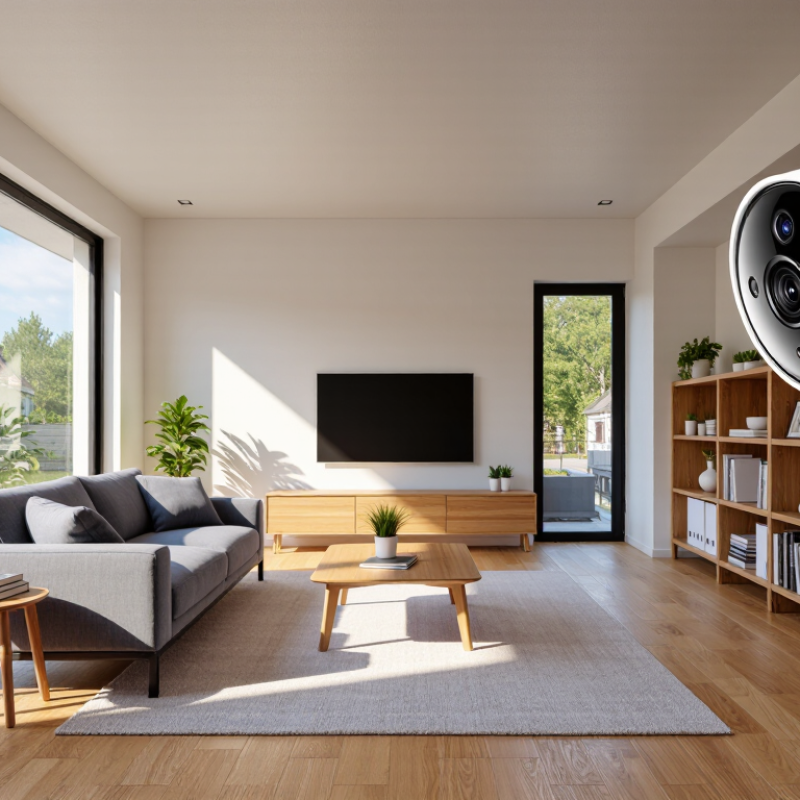
Define your security goal before comparing camera features. A 108°–130° viewing angle can cover a porch, driveway, or narrow side entrance effectively. Wider coverage is not always better. It may stretch faces near the edges and reduce useful detail. Measure the distance from the camera to the activity area. Then check whether doors, gates, and parked vehicles remain visible.
A practical setup places the lens about 2.4–3 metres high, angled slightly downward. Keep the main walkway near the centre of the image. Leave less important walls near the edges. The Campbell Collaboration’s review of 41 CCTV studies found an average 16% crime reduction, with stronger results in car parks. Cameras help most when they capture clear, usable scenes. The FBI reported 847,522 burglary offenses in the United States during 2023, showing why entry-point coverage deserves careful planning. These figures do not prove that one camera prevents crime.
Test it at night.
Walk through the property yourself. Notice glare from lights, tree movement, and faces hidden beneath caps. I once assumed a wide view solved everything, but a delivery box blocked half the lower frame. A 108° lens may suit a focused doorway. A 130° lens may better cover a corner, but it needs sharper positioning and stronger night performance. Review footage from both edges before installation. A small blind spot can matter more than a long feature list.
Compare Camera Types: Wired PoE, Wi-Fi, and Cellular Reliability
How to Choose the Best House Security Camera?
A camera is only useful when its connection survives real household problems. Wired PoE models send power and video through one Ethernet cable. They usually provide stable streams, low latency, and fewer wireless interruptions. Installation takes more planning, especially through walls or ceilings. Wi-Fi cameras are easier to place, but thick walls, crowded networks, and router failures can freeze live video. That weakness is easy to underestimate.
Cellular cameras use a mobile network instead of home broadband. They suit gates, sheds, farms, and temporary locations. However, signal strength changes indoors and during storms. The 2024 Ookla Speedtest Global Index shows that mobile and fixed-network performance varies widely across countries and providers. A cellular camera may work well today, then struggle behind a metal door. The 2024 Verizon Data Breach Investigations Report analyzed more than 30,000 security incidents, reinforcing the need for strong passwords, updates, and restricted access. Reliability is not only about connection speed.
Tips: Test the exact camera position before drilling. Check nighttime footage, upload stability, and recovery after power loss. For Wi-Fi, use a separate network and enable multi-factor authentication. For cellular, measure signal where the camera will hang. PoE remains my practical choice for a main entrance. Yet I would not call it perfect; damaged cabling can disable both power and video. Choose the failure you can inspect and repair.
Evaluate Video Quality: Use 1080p Minimum and 4K for Identification
How to Choose the Best House Security Camera?
Evaluate Video Quality: Use 1080p Minimum and 4K for Identification
Video resolution determines what remains visible after digital zoom. Full HD, or 1080p, records 1,920 by 1,080 pixels, about 2.1 million pixels. That is a sensible minimum for doorways, hallways, and small yards. The U.S. National Institute of Justice explains that usable identification also depends on lighting, camera angle, focus, and pixel density. Resolution alone cannot rescue a blurred face.
4K UHD provides 3,840 by 2,160 pixels, or approximately 8.3 million pixels. That is four times the pixel count of 1080p. It gives more detail when a person stands farther from the camera or occupies a small part of the frame. The IEC 62676-4 video-surveillance standard uses 250 pixels per metre as a reference level for identification. Measure the scene, not only the product box. A wide lens may spread those pixels too thin.
Night performance still matters. A bright porch light can create shadows under a visitor’s face. Infrared illumination may show detail, but reflective surfaces can wash out the image. Use a camera with strong dynamic range and test recordings at dawn, noon, and night. I once trusted a sharp daytime preview too quickly; the same camera lost facial detail after sunset. Storage settings also deserve attention, because heavy compression can erase small details before you need them.
How to Choose the Best House Security Camera? - Evaluate Video Quality: Use 1080p Minimum and 4K for Identification
Pixel counts are calculated from the stated horizontal and vertical dimensions. Actual image quality and data usage vary by frame rate, codec, scene complexity, lighting, and camera settings.
Verify Storage and Security: Calculate 4 Mbps Bitrate and Require 2FA
Choosing the best house security camera requires more than checking image quality. Storage capacity and account protection matter just as much. In home installations, I calculate the camera’s bitrate before selecting a subscription or memory device. A continuous 4 Mbps stream produces about 43.2 GB of video daily. Over 30 days, one camera may require roughly 1.3 TB, before overhead or duplicated recordings. My early estimates were too optimistic because motion alerts still captured busy streets, pets, and changing shadows.
Check whether the camera supports adjustable bitrate, scheduled recording, and efficient video compression. A lower setting can save storage, but it may blur faces or license plates during movement. Test a sample at night and during rain. Four Mbps is a practical reference point, not a universal rule. Resolution, frame rate, lighting, and compression all change the result. Keep extra capacity for unexpected events.
Account security deserves equal attention. Require two-factor authentication, preferably with an authenticator application or hardware security key. A password alone is not enough. Confirm that login alerts, encrypted connections, secure recovery options, and automatic firmware updates are available. Avoid shared passwords across household accounts. Review active sessions every month and remove old users. I still find convenience tempting, especially when setting up several cameras, but skipping 2FA creates a needless weakness. A clear setup record helps, although it can become outdated. Recheck it after every software or network change.